Essay · AI and your face
Why ChatGPT changes your face
You asked for better light and got back someone who looks like your cousin. What the model is really doing, and how to get the edit you wanted.
You upload a selfie and ask for something small. Better light, a calmer background, warmer colour. What comes back is lovely and slightly wrong. The eyes are a little bigger, the skin a little smoother, the jaw a little sharper. Your friends say it doesn’t really look like you. You’re not imagining it.
It isn’t editing your photo
When you ask ChatGPT to change a picture, it doesn’t adjust the one you gave it. It studies your photo, then paints a new image that matches what it saw plus what you asked for. Every pixel in the result is freshly made, including every pixel of your face. Nothing is carried across untouched.
That’s why it can do things no ordinary editor can, like swapping a background or changing an outfit. It’s also why it can’t leave your face alone. To the model, a darker background and a new face are the same kind of job.
Adjusting
Exposure +0.4 · Warmth +12
Repainting
Why faces drift
The model paints faces from what it has learned about faces in general, from an enormous number of them. So every face it paints is pulled, slightly, toward that average. Many of the photos it learned from were retouched or filtered before they were ever posted, so the pull is toward smooth skin, even features and bright eyes.
On a stranger’s face you would never notice. On your own you might not either, because we’re forgiving about faces we know. It’s the people who know you who see it straight away.
To the model, a darker background and a new face are the same kind of job.
We tried it on a street
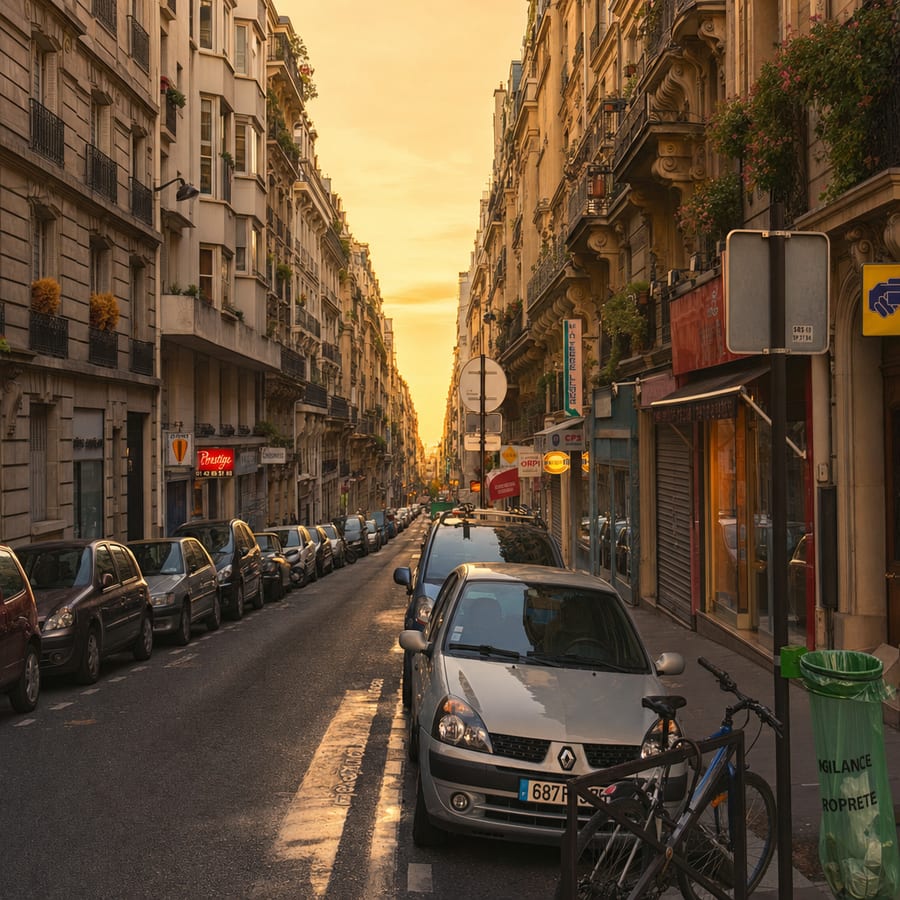
To see it for ourselves, we gave one of OpenAI’s image models a photo of a Paris street and asked for one thing: make it warmer. It came back square, framed differently, with a sunset that hadn’t been there and the parked cars quietly redrawn.
What we gave it
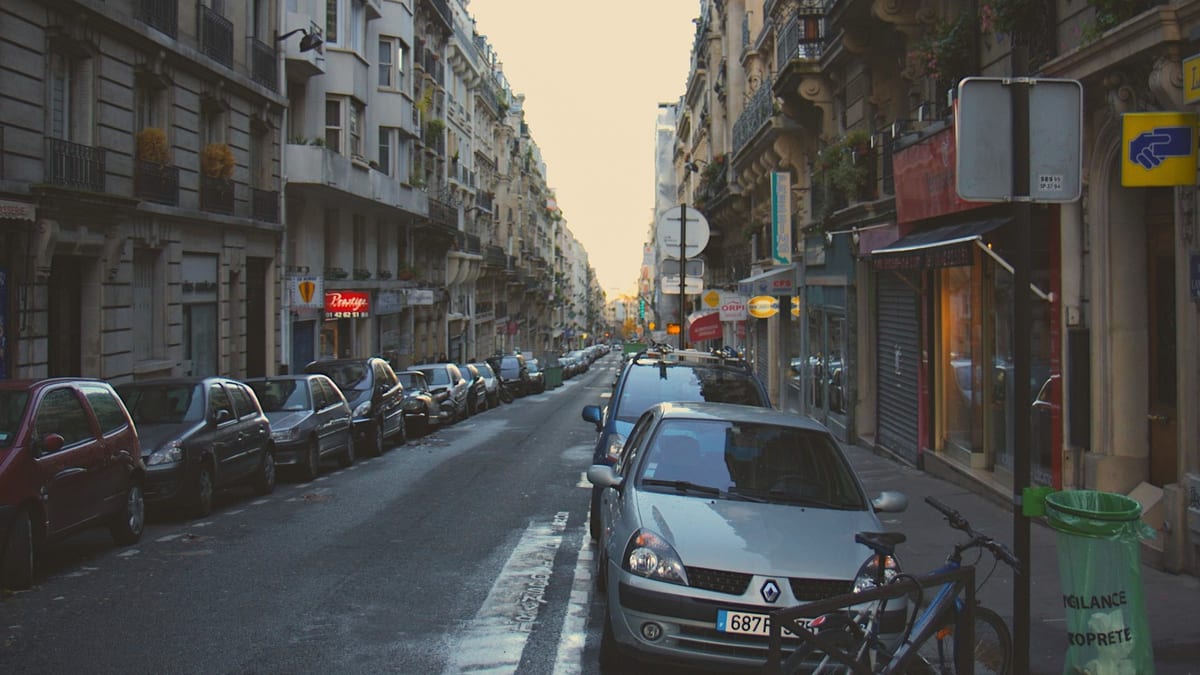
“Make it warmer”
The sign, in our photo

The same sign, after
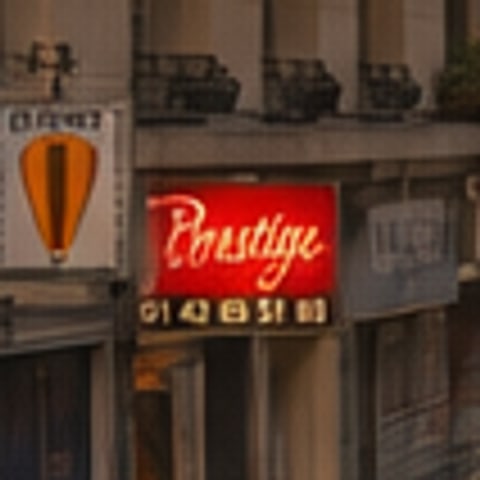
Look closer and it gets stranger. The shop sign still says Prestige, but in different lettering, and the phone number under it is no longer quite the same number. The balloon on the sign next door has turned into something else altogether.
It was a beautiful picture. It just wasn’t the photo. And if a model will quietly rebuild a parked car, it will rebuild a face.
Prompts help, a little
Asking it to keep your face exactly the same does make a difference. It tries harder, and the result is closer. But it’s still painting your face rather than keeping it, so close is the best it can do. Run the same request two or three times and watch the face shift slightly with each one. That’s the tell.
Use the right tool for the job
If you need something that has to be made up, like a new background, a person removed or a different outfit, ChatGPT is a good choice. Just compare the face with your original before you share it.
But most edits people want aren’t that. They want the photo they took, with better light: brighter, warmer, less grey, the background a little darker. That needs an editor that adjusts your photo rather than repainting it, and that kind of editor can’t change a face even if it tried.
Loupe is that kind of editor. You ask in plain words, the same way you would ask ChatGPT, and it moves real controls like exposure, white balance and a curve, then tells you what it changed. It never paints a pixel, so the face in your photo stays yours.
Try it now
Try it on the photo ChatGPT got wrong
Drop the original and ask for what you wanted in the first place. The first edit needs no account.
Your photo never leaves your device. JPEG, HEIC, PNG, WebP, or camera RAW on a computer, up to 200MB.