Free to try · Match a look
Make your photo look like the one you love
Put your photo next to one whose colours you can’t stop thinking about. Loupe moves real sliders until yours has the same feel, then tells you exactly what it changed.
Try it here
Bring the two photos
Yours on the left, the look you want on the right. A screenshot is fine. Your first edit is free, no account needed.
Both photos stay on your device. The assistant sees a small preview of each, which isn’t stored.
Everyone has one. A friend’s holiday photo, a still from a film, a picture you saved months ago and still go back to. The light in it is exactly what you want, and you have no idea how they got it.
One we made earlier
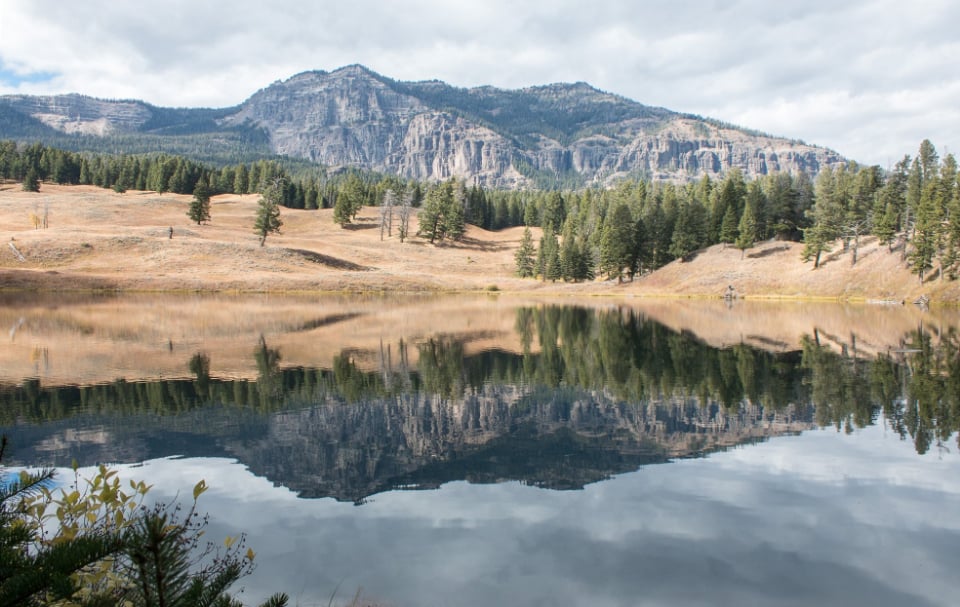
The photo
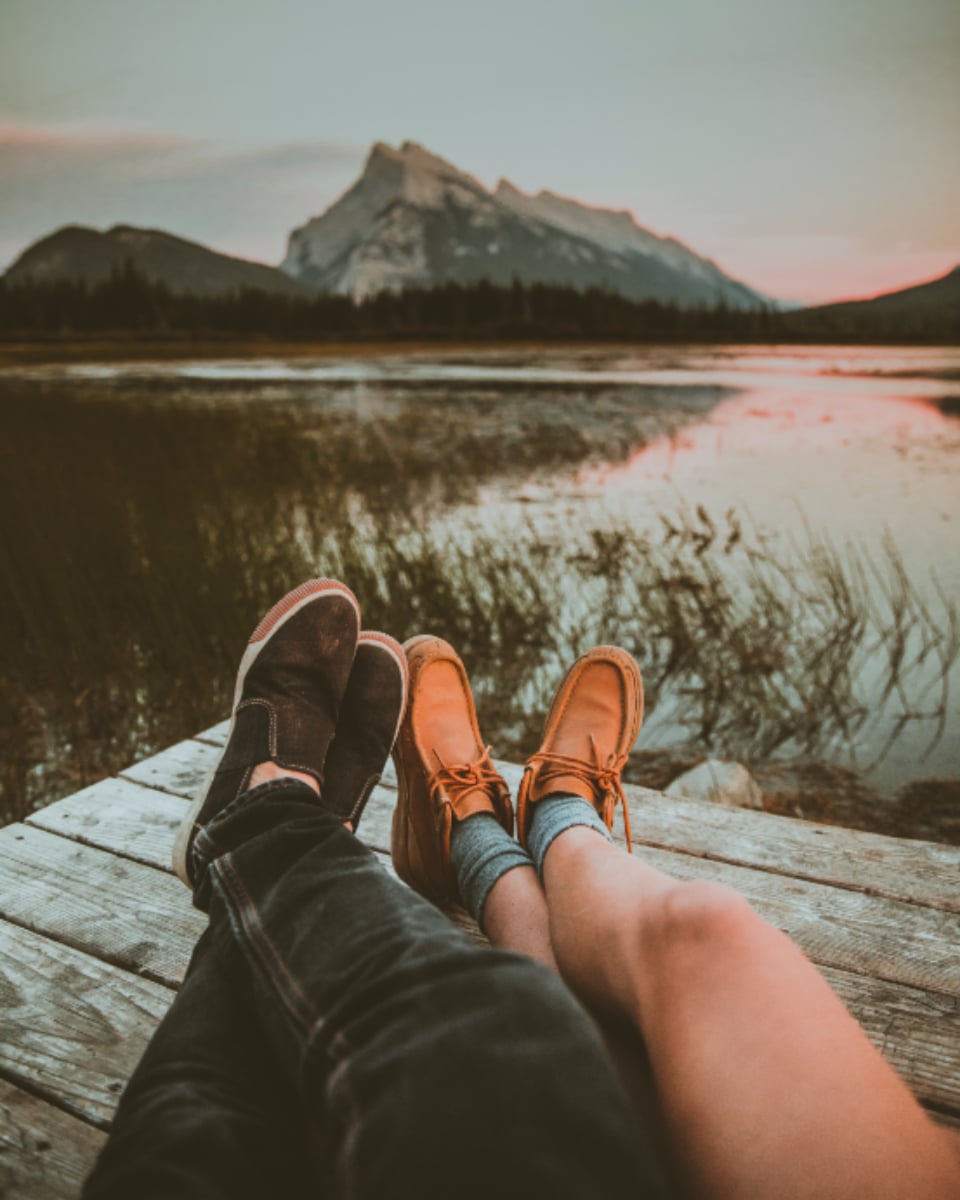
The look
Matched
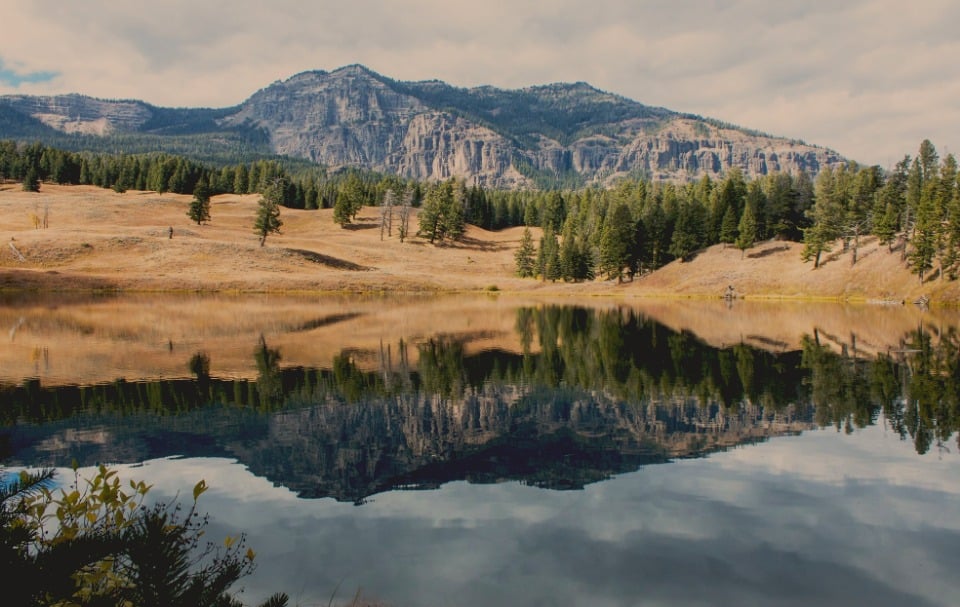
- Exposure−0.80 EV
- Contrast+15
- Curveblacks lifted, whites eased
- Temperature+50
- Saturation+14
- Vibrance+15
- Dehaze−7
- Shadow tintcool blue, 12
- Highlight tintrose, 15
- Grading balance−20
How it gets there
First it looks at your reference and puts the look into words: where the contrast sits, which way the shadows and highlights lean in colour, how rich the colours are, whether it’s clean or grainy. That description is what it’s aiming for.
Then it measures the gap between the two photos in brightness, contrast, colour and warmth, and closes it with the same sliders you would use. Light first, then colour, checking again as it goes.
It’s matching a look, not copying a picture. Your photo has a different subject in different light, so it goes for the same feel rather than the same numbers. If going all the way would spoil your photo, say by burying a face in shadow, it stops short and tells you why.
It’s matching a look, not copying a picture.
Why not just ask ChatGPT?
You can, and you’ll get something back in the right colours. But ChatGPT gets there by painting a whole new picture, so faces, signs and small details quietly change on the way. We tried it on a street in Paris and it redrew the parked cars.
Loupe doesn’t paint anything. It only changes the light and colour that are already in your photo, so everything in it stays exactly where it was, including the people.
You get to see how it was done
Every move shows up in the conversation: which slider, how far, and why. Drag any of them yourself, or undo the one you don’t like and keep the rest. It’s a quicker way to learn a look than any tutorial, because it’s your own photo.
Got a whole set from the same day? Open them together, and once one looks right, Loupe can copy the look across the rest.
Things you can say next
- “Closer to the reference, especially the shadows.”
- “Keep the look, but leave her skin alone.”
- “Same idea, about half as strong.”
- “A little warmer than the reference.”
Getting the best match
Pick a reference lit roughly like yours. A sunset look carries over well to another evening photo. Ask it to turn harsh midday light into golden hour and it will get the colours, but it can’t move the sun.
It matches light and colour. It can’t copy the soft background of a different lens, skin retouching, or anything that was added to the reference afterwards.
Can I use a screenshot from Instagram or Pinterest?
Yes. The reference is only looked at, never edited, so a screenshot works fine. Crop off any borders, captions or buttons first, since they count towards what it measures.
Will my photo end up looking exactly like the reference?
It will have the same feel, not the same numbers. The two photos show different things in different light, so copying the numbers exactly would usually look wrong.
Can I match the look of a film?
Yes. Pause on a frame you love, take a screenshot and use that as the reference. Film colour is so deliberate that stills make some of the best references there are.
What happens to the reference photo?
The same as your own photo. It stays on your device, and the assistant sees a small preview of it alongside your request, which isn’t stored.
Is it free?
Your first edit needs no account at all. After that, a free account gets ten AI edits a month, and every slider in the editor is free to use by hand.
Will it change faces?
No. Loupe only changes light and colour, never the shape of anything, so people look exactly like themselves.
Does my photo get uploaded?
The photo stays in your browser. To see what it’s working with, the assistant gets a small preview, at most 512 pixels across, which is not stored.